
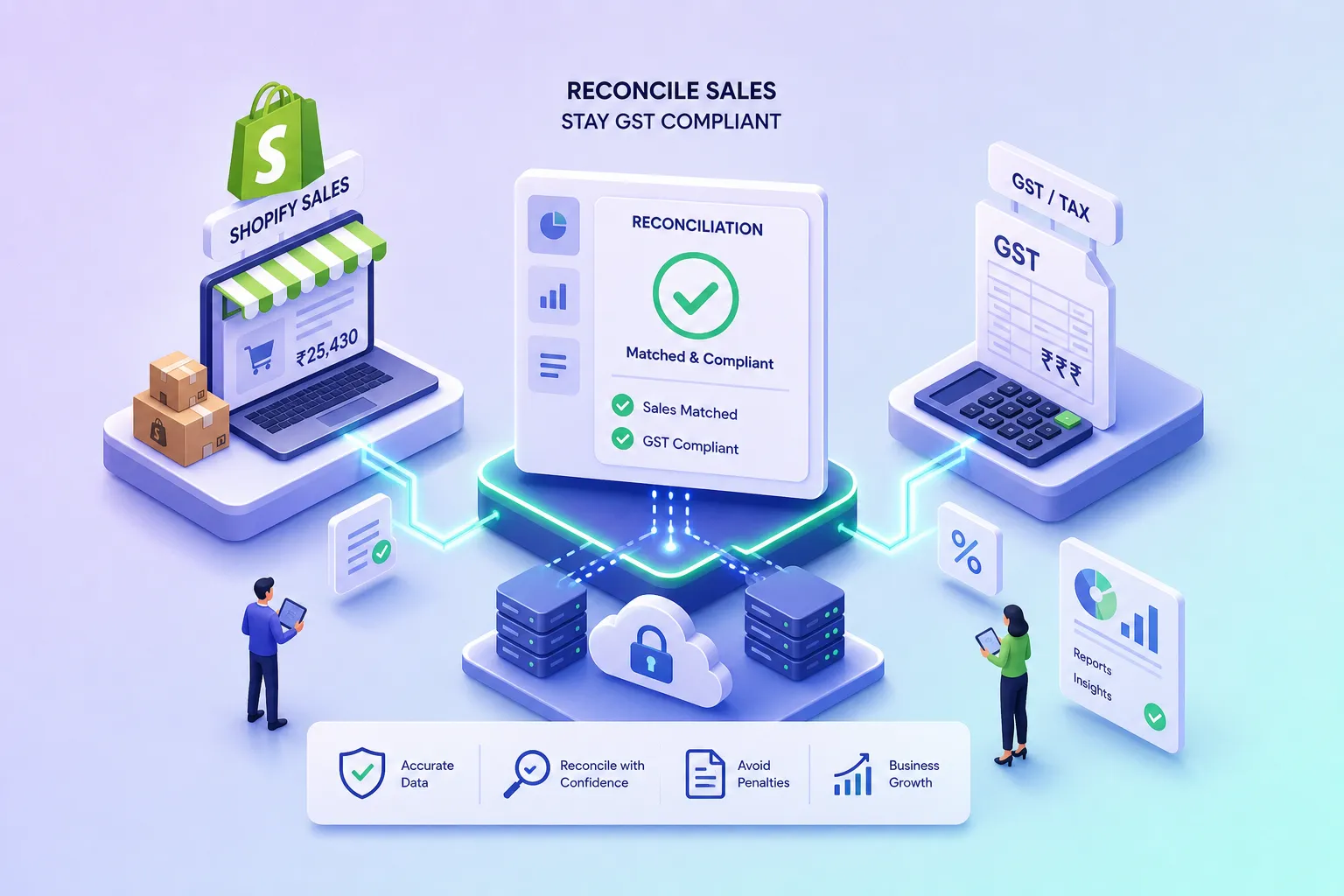
If you have been asking how to reconcile Shopify sales with GST compliance requirements in India, the answer follows a consistent six-stage process: extract order data, determine place of supply, split tax into IGST or CGST/SGST, classify orders into the correct GSTR-1 table, reconcile the payout with gross taxable turnover, and handle returns through credit notes. The complication is that Shopify’s native export produces none of these fields in a GST-ready format, which is precisely why a structured reconciliation layer, whether a dedicated tool or a disciplined spreadsheet workflow, sits between your Shopify store and your GSTR-1 filing. This guide walks through each stage so you know what to do, what to watch, and where most Shopify sellers go wrong before a GST notice arrives.
The scope here covers IGST versus CGST/SGST treatment, GSTR-1 field mapping, returns and refunds, and payout-to-liability matching. It is written for a Shopify store selling to customers across Indian states and filing GST monthly or quarterly.
Key takeaways
- Place of supply governs tax split: Use the ship-to state, not the billing state, to determine whether IGST or CGST/SGST applies to each order.
- Shopify data needs transformation: The standard order CSV does not produce separate CGST, SGST, or IGST columns, a labelled taxable value field, or place-of-supply data for GST filing.
- TCS is a tax credit, not a sales reduction: Marketplace TCS at 0.5% is withheld from your payout but credited to your electronic cash ledger via GSTR-8; it does not reduce your GST turnover.
- Credit notes govern cross-period returns: Issue the credit note in the period the return is processed, not backdated to the original sale period, and report it in that month’s GSTR-1.
- Automation closes the gap: At growing order volumes, manual transformation of Shopify data into GST-compliant fields introduces recurring errors, in HSN mapping, TCS credits, and order classification, that survive until a GST notice arrives.
Why Shopify’s native data isn’t GST-ready
Shopify’s standard order CSV provides total tax charged, a taxable flag per line item, and up to five tax-name and tax-value pairs per order. It does not produce separate CGST, SGST, and IGST columns, a labelled taxable value field, or place-of-supply data. The detailed tax reports and Admin API offer more, including tax rate, taxable amount, jurisdiction, and line type, but these still require transformation before they fit a GSTR-1 schema.
Shopify’s default invoice does not qualify as a statutory Indian GST tax invoice. A GST-compliant invoice requires the seller’s GSTIN, the buyer’s GSTIN where applicable, HSN or SAC codes, place of supply, a reverse-charge indicator, and separately stated CGST, SGST, and IGST amounts. Those fields require either a customised invoice template or a dedicated India GST app. Options such as Indian GST Invoice, InvoiceGST, and GST Invoice India by WebPlanex are designed to add these statutory fields; verify that whichever app you choose also handles credit notes, returns, and, where your turnover crosses the applicable threshold, e-invoicing with IRN and QR code generation.
Filing GSTR-1 from a raw Shopify export without a transformation layer leads to misclassified B2B and B2C entries, incorrect place-of-supply codes, and HSN summaries that do not reconcile to invoice-level data. Plan for a reconciliation layer that sits between Shopify and your GSTR-1 filing utility before you attempt your first filing.
How to determine IGST vs CGST/SGST on each order
For goods, place of supply is the ship-to state, not the billing address state. This is the single most common configuration error on Shopify stores that have set up tax based on billing location. Compare the shipping state with the state encoded in your GSTIN: same state means CGST plus SGST at half the applicable rate each; a different state means IGST at the full rate. Shopify’s India GST documentation gives the example of 9% CGST plus 9% SGST for an intra-state 18% GST rate, and 18% IGST for an inter-state supply.
Even when configured correctly, Shopify cannot set multiple tax line items in the way Indian statutory invoices require. The two components, CGST and SGST, may appear under a single tax name rather than as two independently auditable lines. In your reconciliation layer, use the ship-to state and your GSTIN state code to recalculate and split the tax amount into CGST/SGST or IGST before populating your GST return or accounting system. Never trust the raw Shopify export to have done this for you.
How to reconcile Shopify sales with GST compliance requirements in India: mapping orders to GSTR-1
Every order falls into one of three primary GSTR-1 classifications. Getting this classification right at the invoice level, before aggregation, is the foundation of an accurate GST return.
| Order type | GSTR-1 table | Reporting method | Shopify field for classification |
|---|---|---|---|
| Customer has a valid GSTIN; supply to a registered person | Table 4 (B2B) | Invoice-wise: GSTIN, invoice number, date, taxable value, POS, rate, tax amounts | Customer GSTIN metafield |
| Unregistered customer; does not meet B2C Large criteria | Table 7 (B2C Small) | Aggregated by place-of-supply state and tax rate | Shipping Province |
| Return, cancellation, or price adjustment | Credit/debit note table | With original invoice reference preserved | Refund transaction ID + original order ID |
B2B mapping
For B2B orders, your reconciliation layer must validate the customer GSTIN against the GSTIN portal before classifying the order. A missing or invalid GSTIN must not silently become a B2B entry: resolve the customer classification first. Every B2B invoice must carry the buyer’s GSTIN, invoice number, date, taxable value, place of supply, rate, and separately stated tax amounts.
B2C Large mapping
12/2024–Central Tax. Each qualifying inter-state invoice must be reported individually in Table 5, not aggregated.
HSN aggregation
The HSN summary must be built from invoice lines, not from Shopify product titles. Group lines by HSN/SAC, unit of quantity, GST rate, taxable value, and tax amounts. Every product variant needs a confirmed HSN/SAC master value assigned before you export order data. Shopify’s native HS tariff field requires at least six digits; shorter codes need a metafield. Reconcile the HSN summary back to invoice-level totals before filing; a mismatch between the HSN table and Tables 4, 5, and 7 is a common GSTR-1 validation failure.
Why your gross Shopify sales never match your GST-reported turnover
The gap between your Shopify gross sales figure, your payout settlement, and your GST turnover is predictable and closeable. Each figure measures a different stage of the same transaction. Shopify gross sales records the order value at checkout. The settlement is what the marketplace or gateway remits after deductions. GST turnover is the taxable invoice value excluding GST itself, adjusted for valid returns.
Marketplace and payment gateway fees, fulfilment charges, shipping deductions, and advertising costs all reduce what you receive in your bank account. None of them reduce the taxable value you declared on your GST invoice. Record these as separate expenses and claim eligible input tax credit on the GST invoices the platform issues to you. For each channel, maintain a clearing account: record the order at full invoice value, post refunds as credit notes, book platform charges separately, and match the net bank receipt to the clearing account balance. The clearing account balance should equal unsettled sales, reserves, or pending refunds, not unexplained revenue differences.
TCS is a tax credit, not a revenue reduction. When you sell through a marketplace registered as an e-commerce operator under Section 52 of the GST Act, the marketplace collects TCS at 0.5% of your net taxable supplies (0.25% CGST plus 0.25% SGST for intra-state, or 0.5% IGST for inter-state, effective 10 July 2024) and deposits it against your GSTIN via GSTR-8. This amount is credited to your electronic cash ledger. Do not deduct TCS from turnover in your GST return. Record it as a tax receivable in your books.
To reconcile, compare the TCS figure in your marketplace settlement report against the GSTR-8 data visible in the TDS/TCS Credit Received section of your GST portal. To accept a matching entry, navigate to Services, then Returns, then TDS and TCS Credit Received, select the period, and accept only entries that match your settlement report on GSTIN, period, taxable base, and amount. Reject entries with discrepancies and escalate to the marketplace for GSTR-8 correction.
How to handle returns and refunds across GST periods
Every return or cancellation must be accompanied by a credit note that references the original invoice number and date. The credit note reverses the taxable value and the tax charged, reducing your outward supply liability for the relevant period. If the return occurs in a later GST period than the original sale, issue the credit note in the period it is processed and report it in that month’s GSTR-1; do not backdate it to the original invoice period.
Shopify’s refund event creates a negative line in the settlement report, but it does not automatically generate a GST credit note. Your invoicing app or integration must convert the Shopify refund into a formally issued credit note with a unique document number, the original invoice reference, and the correct tax reversal. The credit note must be declared by the statutory deadline, currently 30 November following the end of the financial year in which the original supply was made, or the date of filing the relevant annual return, whichever is earlier (refer to Section 34 of the CGST Act for the governing provision).
Build a reconciliation schedule for each marketplace and period: taxable sales, returns and cancellations, net taxable supplies, TCS at the applicable rate, TCS per settlement report, TCS per portal, difference, and resolution status. When a return reduces net taxable supplies, the marketplace’s GSTR-8 for that period should reflect the reduced TCS base. Escalate any unreconciled difference promptly, retaining settlement reports and correspondence as documentation.
How to reconcile Shopify sales with GST compliance requirements in India: automating the process
As your order volume grows, managing multiple invoice lines, multiple tax rates, two or three place-of-supply combinations, gateway fees from one or two payment providers, and returns that land in a different month from the original sale becomes increasingly error-prone when handled by hand. A spreadsheet-based approach introduces errors in HSN mapping, missed TCS credits, and B2B misclassifications that often survive until a GST notice arrives.
The transformation steps described in this guide, place-of-supply derivation, CGST/SGST split, GSTR-1 table classification, HSN aggregation, TCS reconciliation, and credit note issuance, each require consistent logic applied to every order, every month. One missed configuration change, such as a new state you are shipping to, a new product category, or a change in marketplace TCS rates, breaks the entire chain. Manual workflows also struggle with cross-period returns: the refund arrives in the settlement report, but the credit note, the GSTR-1 entry, and the GSTR-3B adjustment need to stay in sync across periods.
Narti Solutions connects directly to Shopify and pulls order, refund, and tax data into a reconciliation engine built specifically for Indian GST structures. It applies place-of-supply logic automatically, splits CGST/SGST and IGST at the transaction level, classifies every order into the correct GSTR-1 table, and generates HSN summaries that reconcile back to invoice-level totals. Returns and refunds are mapped to credit notes with the original invoice reference preserved.
TCS entries from marketplace settlement reports are reconciled against portal data and flagged when figures do not match. If you use Tally, Busy, or Zoho Books, Narti Solutions exports directly into those systems with no manual reformatting, so the data your CA reviews before filing is already in the format your accounting software expects.
Your monthly Shopify GST reconciliation checklist
The gap between your Shopify gross sales, payout settlements, and GST turnover is not a mystery. It is predictable and closeable with the right process. Prepare your Shopify data layer by ensuring HSN/SAC master values, customer GSTIN fields, and place-of-supply logic are configured before orders flow through. Map orders to the correct GSTR-1 tables using the ship-to state as the place-of-supply signal, and validate B2B entries against confirmed GSTINs. Reconcile the payout using a clearing account model, not the net bank deposit, so fees, TCS, and timing differences are accounted for explicitly. Handle returns through properly issued credit notes dated and reported in the period of the return, not the period of the original sale.
Doing this manually every month is a choice, not a necessity. The transformation logic is consistent; it simply needs to run on every order, without gaps, every filing cycle. When Narti Solutions handles this reconciliation process, that logic runs automatically, the matching happens at the transaction level, and your CA receives a report already organised by GSTR-1 table, with TCS credits flagged and credit notes linked to their source invoices.
If you are ready to move from spreadsheets to a workflow that produces GST-compliant reports from your Shopify data without manual reformatting, contact Narti Solutions to see how we support Indian sellers filing Shopify GST reconciliation returns across multiple states.
Frequently Asked Questions
What specific fields must appear on a statutory Indian GST tax invoice for Shopify sales?
A statutory Indian GST tax invoice must include the seller’s GSTIN, the buyer’s GSTIN where applicable, HSN or SAC codes, place of supply, a reverse-charge indicator, and separately stated CGST, SGST, and IGST amounts. These fields require either a customised invoice template or a dedicated India GST app to add them to Shopify invoices, and every B2B invoice must also carry invoice number, date, taxable value, rate and the tax amounts.
How should we validate a customer GSTIN before classifying an order as B2B?
Validate the customer GSTIN against the GSTIN portal before classifying the order as B2B. A missing or invalid GSTIN must not be treated as B2B; resolve the customer classification first so the invoice carries the correct buyer GSTIN and related invoice fields.
What HSN code format does Shopify require and what do we do with shorter codes?
Shopify’s native HS tariff field requires at least six digits; shorter HSN codes must be stored in a metafield. Every product variant needs a confirmed HSN/SAC master value assigned so the HSN summary can be built from invoice lines and reconcile back to invoice-level totals.
How do we reconcile marketplace TCS reported in our settlement against the GST portal credits?
Compare the TCS figure in your marketplace settlement report against the GSTR-8 data visible in the TDS/TCS Credit Received section of the GST portal and accept only matching entries. Record TCS as a tax receivable and accept portal entries that match on GSTIN, period, taxable base and amount; reject and escalate entries with discrepancies so the marketplace corrects its GSTR-8.